

Adobe Captivate 9 carries the Adobe name, giving it instant recognition. Like all products, however, even from Adobe, its popularity relies on its usefulness. Adobe Captivate 9 boasts a wide range of features:
Adobe Captivate 9 carries the Adobe name, giving it instant recognition. Like all products, however, even from Adobe, its popularity relies on its usefulness. Adobe Captivate 9 boasts a wide range of features:
- Adobe Captivate Draft – import storyboards and publish them;
- Roundtripping with Microsoft PowerPoint – import PowerPoint slides;
- Multistate objects – incorporate smart shapes, images, text, buttons, and more;
- Object styles – define styles and apply them as you like;
- Equation editor – easily add mathematical equations;
- Master slides – create and maintain well-formatted and consistent-looking content;
- Professional project templates – jump right into creating with one of these templates;
- Interactions library – customize the templates from the library such as in-course YouTube video streaming and web browsing;
- Themes – blend backgrounds, styles, fonts, and layouts.
Price: $29.99 per month for a subscription or $1,099 for full access
Adobe Captivate 9 software is available at a discount to eligible students, teachers. The discounted education price is $349.
Sure it’s a powerful tool, like most of Adobe’s other products, but it’s not the only one on the market or even necessarily the best one out there. Here are some other options currently available and designed specifically for e-Learning authoring.
1. iSpring Suite
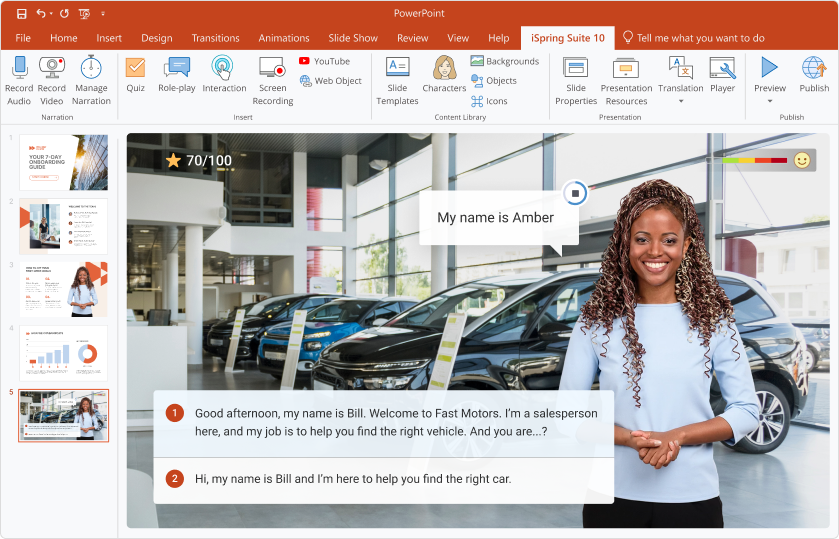
iSpring Suite really gives Adobe a run for its money. This e-Learning tool boasts many of Adobe Captivate 9’s features and adds a few more, making this a very powerful e-Learning development tool.
Features
- PowerPoint integration and conversion for online mobile-ready courses;
- Create video narrations and synchronize them with the slides;
- Build interactive assessments with branching and flexible scoring – include rich media, video and more;
- Screencasting – capture all or part of your screen;
- Dialogue simulations – practice communication skills;
- Interactions – set of pre-made templates useful for creating 3D books, timelines, references, glossaries, catalogs, and FAQs;
- Character Library – library of characters of different ages and professions in dozens of poses. Also create your own characters and add them to the Character Library;
- LMS support – integrates seamlessly with SCORM, AICC, cmi5, and xAPI;
- HTML5 and Flash – plays on any device;
- iSpring Play mobile app – allows learners to access your course from anywhere.
Price: 1 license: $770, $470 for educators and non-profit
2. Adapt
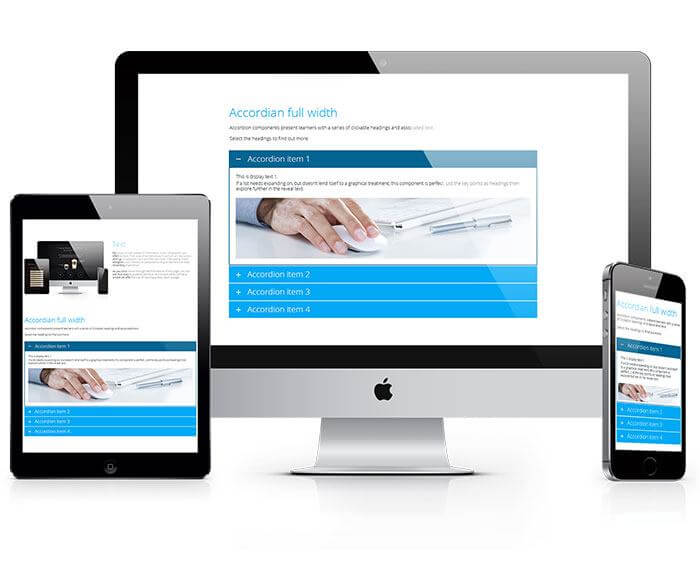
Free and open-source, Adapt boasts a community forum of professionals with the shared goal of producing quality educational content. They work together to this end and encourage input from and collaboration among users. Most of the team is based in Europe. Code must be directly edited for changing themes.
Features
- HTML5 creation – works on any device;
- Authoring tool – quickly build content;
- Adapt framework – creates HTML5 e-Learning courses, SCORM-compliant;
- Assessment: multiple choice, fill in the blank, and matching questions;
- Export to SCORM;
- Community forum.
Price: free, open-source
3. Atomi
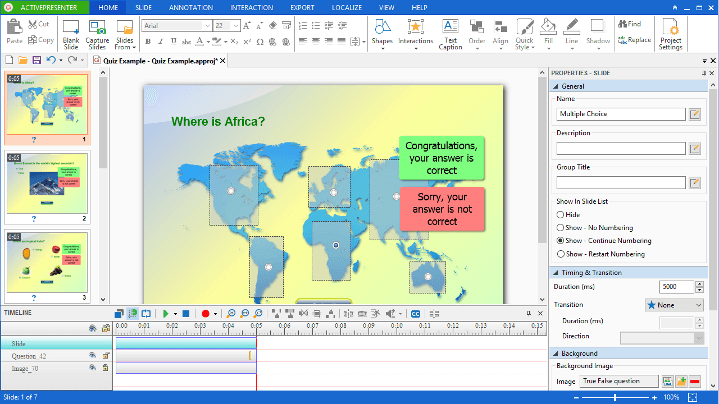
Atomi positions itself as “advanced screencasting and rapid e-Learning authoring software.” With its Smart Capture technology, screencasting goes beyond most and captures the screen as a sequence of slides based on interactions. You can also set it to automatically explain the captured content. Atomi provides the tools for both video-based learning and learner interactivity.
Features
- Advanced screencasting – Smart Capture technology captures screen as a sequence of slides based on interactions;
- Explain captured content automatically;
- Interactive content – branching scenarios, interactions, events, and actions;
- HTML5 delivers content to any platform and device;
- Publish to LMS using SCORM and xAPI;
- Track key metrics to assess learner performance.
Price: 3 editions: 1) free; 2) standard: $199; 3) professional: $299
4. Udutu
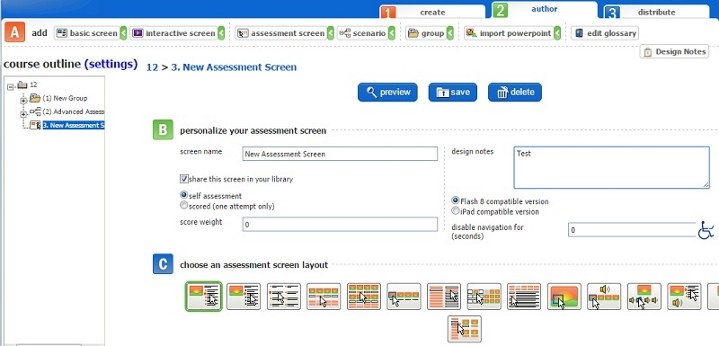
Build courses quickly and collaborate with others using the e-Learning authoring tool from Udutu. It’s free, but there’s a per-screen hosting charge. Users say it is easy, offers many interactive tools, is well-supported and provides a flexible team to work with.
Features
- Cloud-based – create from anywhere with an internet connection;
- Collaborate through a web browser on any platform or operating system;
- Templates – interactions, gamification scenarios, rich media presentations, branching simulations, case studies, quizzes and complex assessments;
- Multimedia – supports all major graphic, sound and video formats, automatically optimized for web delivery;
- SCORM-compliant – seamlessly integrate with an LMS;
- Upload PowerPoint presentations using HTML5 or Flash.
Price: $19 a month
5. SoftChalk Cloud
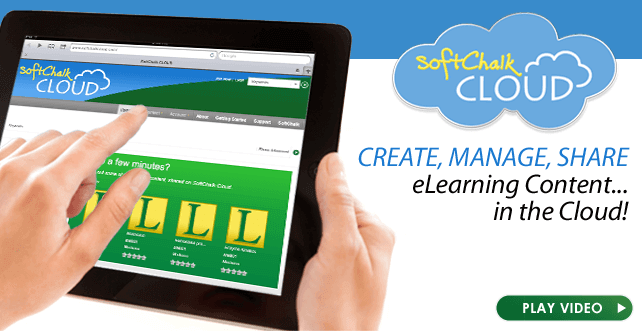
SoftChalk Cloud offers a wide selection of features. Users like it because they can easily integrate interactive features and add multimedia, and the software focuses on usability and accessibility. They say it has a small learning curve, and is nearly as easy to use as a basic word-processing tool.
Features
- Cloud-based – create from anywhere with an internet connection;
- “Create” digital authoring system – combine pre-existing resources (Word files, PowerPoint presentations, PDFs, videos, and weblinks) with web resources ;
- Interactive – quizzes and activities such as crossword puzzles and sorting activities;
- Apply design template – content looks very professional;
- Easily manage content – create one content item for delivery to many courses or multiple LMSs. Update in the cloud and content automatically updates wherever it’s present;
- Easy integration with LMS;
- HTML5, JavaScript and CSS construction – content works on any device;
- Share content – privately or publically;
- Open Educational Resource Learning Object Repository – free learning resources created by educators and shared for open use;
- Track student scores – score data go directly into LMS gradebooks;
- Private version – tailored, privately branded for your institution.
Price: $995/year, $495/year for educators
Below is a table of the features for each of these software packages in a side-by-side comparison.
| Product | Adobe Captivate 9 | iSpring Suite | Adapt | Atomi | Udutu | SoftChalk Cloud |
|---|---|---|---|---|---|---|
| Price: $$ | 29.99/mo; 1099 full | 697 | Free. Open-source | 299 | 19/mo | 995/yr |
| Type: | ||||||
| Desktop | ✓ | ✓ | ✓ | |||
| Web-based | ✓ | ✓ | ✓ | |||
| Import from PPT | ✓ | ✓ | ✓ | ✓ | ||
| Content view formats: | ||||||
| Flash | ✓ | ✓ | ✓ | |||
| Html5 | ✓ | ✓ | ✓ | ✓ | ✓ | ✓ |
| Export to SCORM | ✓ | ✓ | ✓ | ✓ | ✓ | |
| Mobile app/offline access | ✓ | |||||
| Export to video | ✓ | ✓ | ✓ | |||
| Audio/video recording (microphone/webcam) | ✓ | ✓ | ✓ | |||
| Screen recording (screencast) | ✓ | ✓ | ✓ | |||
| Audio/video editor | ✓ | ✓ | ✓ | |||
| Different color themes | ✓ | ✓ | ✓ | |||
| Templates library | ✓ | ✓ | ✓ | ✓ | ||
| Characters library | ✓ | ✓ | ||||
| Quizzes | ✓ | ✓ | ✓ | ✓ | ✓ | |
| Interactions | ✓ | ✓ | ✓ | ✓ | ||
| Dialog simulations | ✓ | ✓ | ||||
| External objects: | ||||||
| Html pages | ✓ | ✓ | ✓ | ✓ | ||
| Youtube videos | ✓ | ✓ | ✓ | ✓ | ||
| Flash movies | ✓ | ✓ | ✓ | ✓ | ||
| Advanced features for professional developers: | ||||||
| Triggers | ✓ | ✓ | ||||
| Variables | ✓ | |||||
| Multistate objects | ✓ | |||||
| Section 508 | ✓ | ✓ | ✓ | |||
| Protection | ✓ | |||||
| Integrated content hosting service: | ||||||
| Cloud | ✓ | ✓ | ||||
| LMS | ✓ | ✓ | ✓ | ✓ | ||
| Course authoring on MAC computers | ✓ | ✓ | ✓ | ✓ |
As you can see, there is a wide variety of e-Learning course construction tool options available out there, each with a different set of features and a different price tag. Prices range from free and open-source to $1,099 for the full version of Adobe Captivate 9. Whether your needs are to present mathematical formulas beautifully and seamlessly, to collaborate with colleagues on course construction, to incorporate characters, or any of many other options, you can surely find the combination of features that will best suit your specific needs among the several options available today for e-Learning course construction.
A guest post is provided by iSpring Solutions Company, a well-known provider of e-learning authoring and publishing tools. More information about the vendor and its products can be found at the company's website www.ispringsolutions.com.